TV Won’t Turn On? Causes and Fixes for No Power and a Black Screen
June 19, 2026 · 6 min read
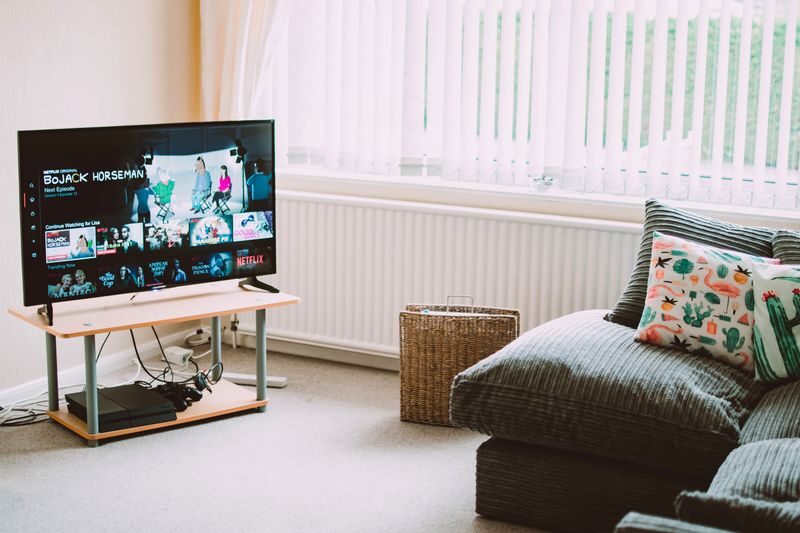
There's a special kind of frustration when you press the power button and your TV just sits there. No picture. Maybe a little click, maybe nothing at all. Before you start shopping for a replacement, take a breath. Many TVs that seem completely dead are an affordable fix, and a few minutes of simple checks at home can save you a service call entirely.
Here in Lake Worth Beach, we see this a lot, especially after storm season. A power surge during a summer thunderstorm is one of the most common reasons a perfectly good TV suddenly won't turn on. Let's walk through what you can safely check yourself, and what's best left to a professional.
One important safety note first
Please do not open the back of your TV. Even when unplugged, a television stores a dangerous high-voltage charge inside that can seriously hurt you. The checks below are all safe, external things anyone can do. Anything involving the inside of the set should be handled by a factory-trained technician with the right tools.
Safe checks you can do yourself
Work through these in order. It's surprising how often the answer is something simple.
- Confirm the outlet actually has power. Plug a lamp or your phone charger into the same outlet. If it's a power strip or surge protector, make sure it's switched on and hasn't tripped. Storm surges often flip a surge protector off to protect your gear, which is exactly its job.
- Check for a tripped GFCI. If the outlet is near water or outdoors, it may be a GFCI outlet that's tripped. Look for a "reset" button on the outlet itself, or a tripped breaker in your panel.
- Reseat the power cord. Push the cord firmly into both the wall and the back of the TV. On some sets the cord can work loose over time.
- Try a power-cycle (soft reset). Unplug the TV from the wall for a full 60 seconds. While it's unplugged, press and hold the TV's own power button for 10 to 15 seconds to drain any leftover charge. Then plug it back in and try again. This simple reset clears a surprising number of "dead" TVs.
- Look for a standby light. Is there a small red, white, or blue light on the front? If yes, the TV is getting power and the problem is likely elsewhere. If there's no light at all, the issue is more likely on the power side.
- Rule out the remote. Try turning the TV on using the button on the set itself. If it works that way, you may just need fresh remote batteries.
- If you hear sound but see no picture, check your input. Press the input or source button and cycle through the options. A black screen with working audio is often just the TV sitting on the wrong input, not a real failure.
- Test for backlight failure. If the TV powers on (you hear sound or see a faint glow) but the screen stays black, turn off the room lights and shine a flashlight at an angle across the screen. If you can faintly see a picture under the flashlight, the screen is working but the backlight has failed. That's a known, fixable problem.
When it's a pro-level repair
If you've worked through the safe checks and your TV still won't cooperate, the cause is usually inside the set. Here's what we most often find:
- Failed power supply board. One of the most common culprits, especially after a surge. Often an affordable board swap.
- Bad backlight LEDs. When the picture is there but dark (the flashlight test above), the LED strips that light the screen have worn out or failed. Very repairable.
- Main board issues. The "brain" of the TV can fail, sometimes showing as no picture, no sound, or odd startup behavior.
- T-CON board failure. This board controls the image on the panel. When it fails you might see a black screen, lines, or a distorted picture.
- Surge damage. A nearby lightning strike or grid spike can take out one or more components. The good news is the panel itself often survives, and a board or backlight repair brings it back to life.
Here's the part worth hearing: a "dead" big-screen TV is very often a far cheaper fix than a new set. Before you spend hundreds replacing a TV you liked, it's worth having someone look. You can read more about how we handle TV repair — and Tekno actually started in TV repair, so this is right in our wheelhouse.
How we work
Tekno is a one-person, family-run shop right here in Palm Beach County. When you call, you get the same trusted person every time, factory-trained and straightforward. We offer same-week in-home service, upfront flat pricing with a diagnostic fee that applies toward the repair if you decide to go ahead, and a 90-day warranty on the work.
If your TV won't turn on and the simple checks didn't do the trick, we're glad to take a look before you give up on it. You can book a repair online or call (561) 533-9840 and we'll get you sorted.
Ready when you are
Same-week, in-home repair across Palm Beach County. Honest pricing, 90-day guarantee.